WIZ-OSHW-TH-01
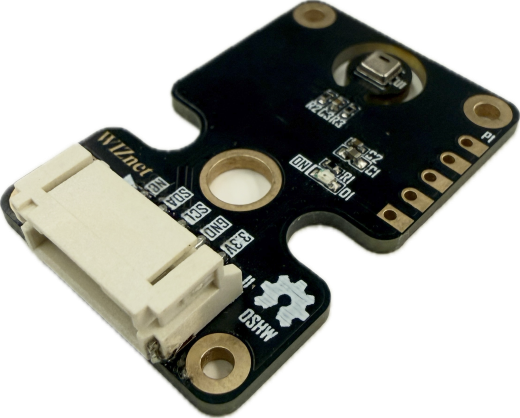
WIZ-OSHW-TH-01 is a high-precision Temperature & Humidity sensor module powered by the AHT20 IC. Utilizing a standard I2C digital interface with dedicated 3.3V and GND pins, it features dual breakout connection options for effortless integration into environmental monitoring and IoT systems.
 Buy now
The WIZ-OSHW-TH-01 is an integrated environmental sensing module featuring the AHT20 MEMS temperature and humidity sensor IC. It communicates over a standard 2-wire I2C interface (SDA and SCL), providing pre-calibrated digital readings. Dual header breakout options (standard 2.54mm pitch through-holes and a right-angle keyed connector) make it ideal for breadboard prototyping, weather station builds, and smart IoT control systems.
Features
AHT20 Sensor IC: High-accuracy digital MEMS temperature and relative humidity sensing element.
I2C Communication: Simple 2-wire digital serial interface operating at standard I2C address (
0x38).Factory Calibrated: Direct digital output for relative humidity (%) and temperature (°C) without needing complex formulas.
Dual Connection Options: Supports standard 2.54mm pitch pin headers alongside a keyed horizontal lock connector.
Mounting Holes: Four corner mounting holes plus a center pass-through hole for secure panel or enclosure mounting.
Specifications
Parameter |
Value |
|---|---|
Model / P/N |
WIZ-OSHW-TH-01 |
Function |
Temperature & Humidity |
IC |
AHT20 |
Interface (I/F) |
I2C ( |
Revision |
1.0 |
Operating Voltage (3.3V) |
3.3V DC |
Connector Pitch |
Standard 2.54mm (P1) / Keyed Horizontal (J1) |
Pin Count |
5 Pins ( |
Pinout & Hardware Overview
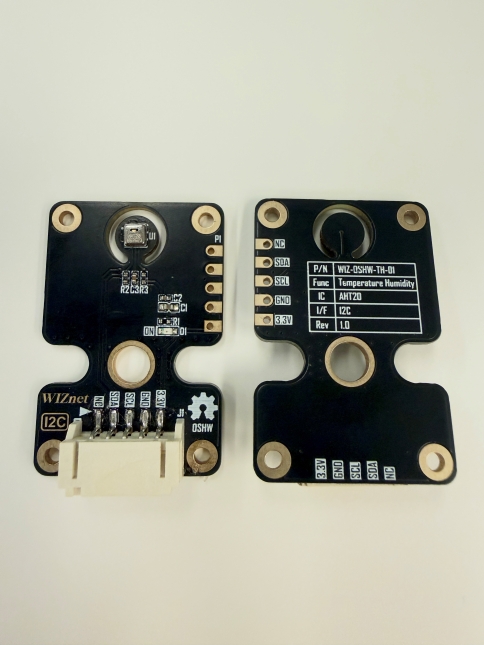
The module provides two parallel pin interfaces: a standard 5-pin 2.54mm pitch breakout (P1) and a 5-pin horizontal keyed connector (J1).
Pin |
Type |
Description |
|---|---|---|
NC |
— |
No Connection |
SDA |
Input/Output |
I2C Serial Data Line |
SCL |
Input |
I2C Serial Clock Line |
GND |
Power |
Ground supply reference |
3.3V |
Power |
3.3V DC Power Supply |
Top View & Bottom View
Platforms Supported
MicroPython |
|---|
|
Getting Started
Materials Required (excluding TH module)
W55H32L-Application-KIT
5-pin female-female JST PH-Style Cable
USB Type-C Cable
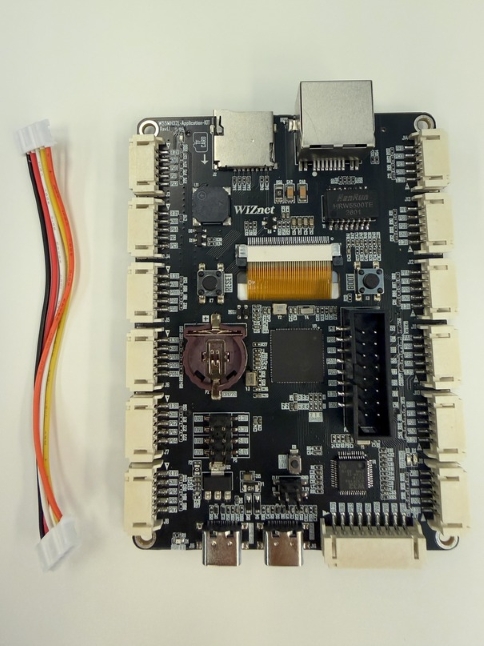
Hardware Connection
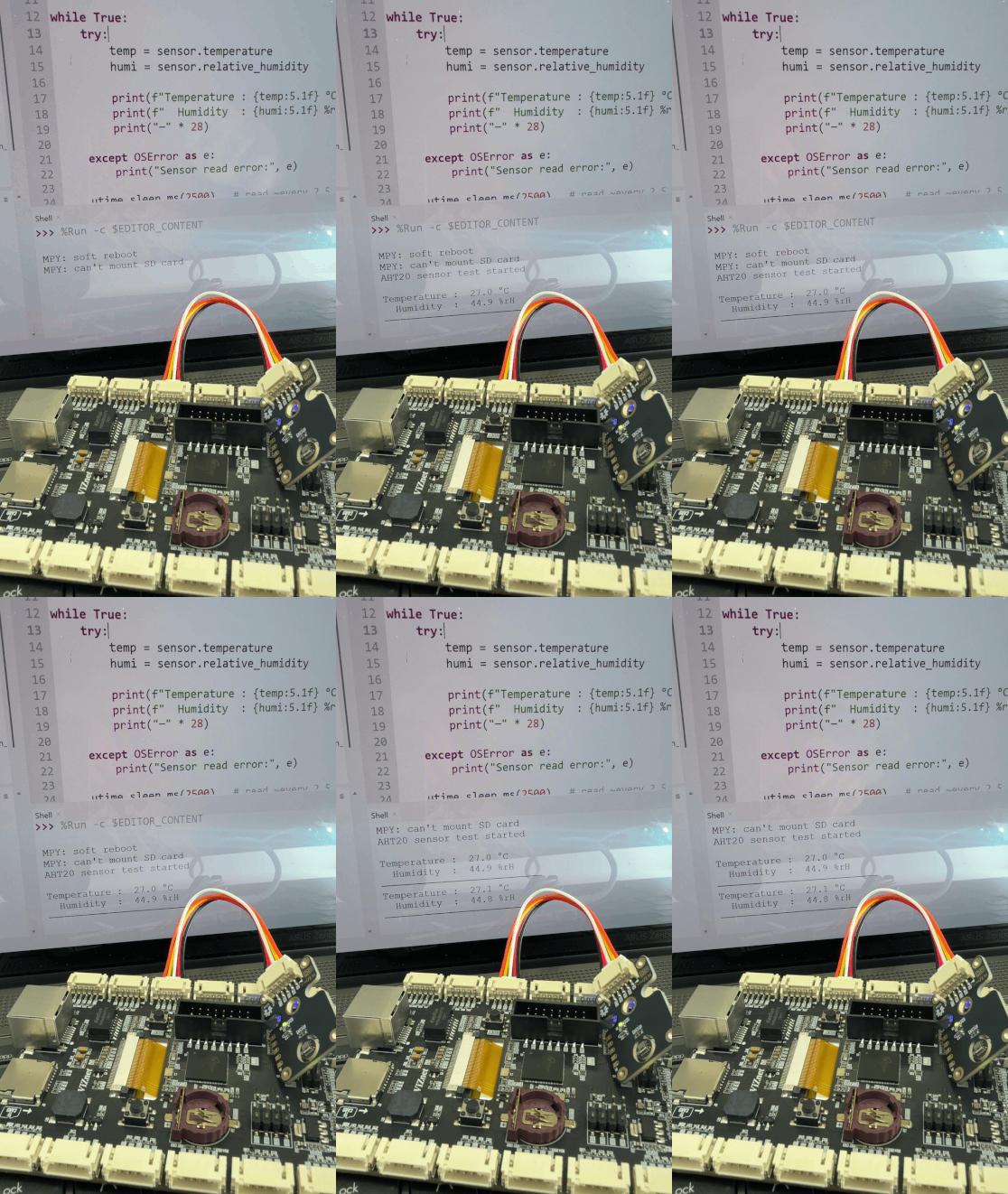
Connect the WIZ-OSHW-TH-01 to an I2C-enabled connector (e.g., J12 or J5) on the W55MH32L-Application-KIT using the 5-pin JST cable.
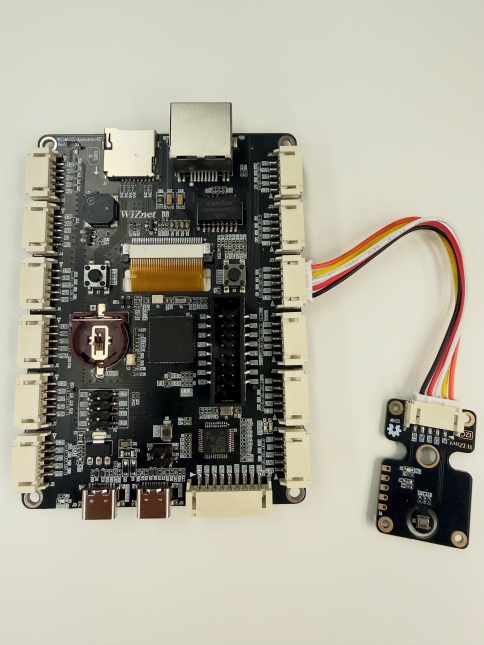
Then use a USB Type-C cable to connect the WIZ-LINK Port on the W55MH32L-Application-KIT board to your PC.
Sample Code Demo
Software
We will be using Thonny IDE to run the code.
Open Thonny IDE on your PC.
Select the correct COM port for your board.
Set the interpreter to MicroPython (generic).
Refer to the WIZnet documentation page for detailed instructions under the “Basic Setup” section.
MicroPython
from machine import Pin, I2C
import utime
import ahtx0           # <-- the library file for ahtx0

i2c = I2C(1, scl=Pin("PB6"), sda=Pin("PB7"), freq=100000)

# Create sensor object
sensor = ahtx0.AHT20(i2c)

print("AHT20 sensor test started\n")

while True:
    try:
        temp = sensor.temperature
        humi = sensor.relative_humidity

        print(f"Temperature : {temp:5.1f} °C")
        print(f"  Humidity  : {humi:5.1f} %rH")
        print("─" * 28)

    except OSError as e:
        print("Sensor read error:", e)

    utime.sleep_ms(2500)   # read ~every 2.5 seconds