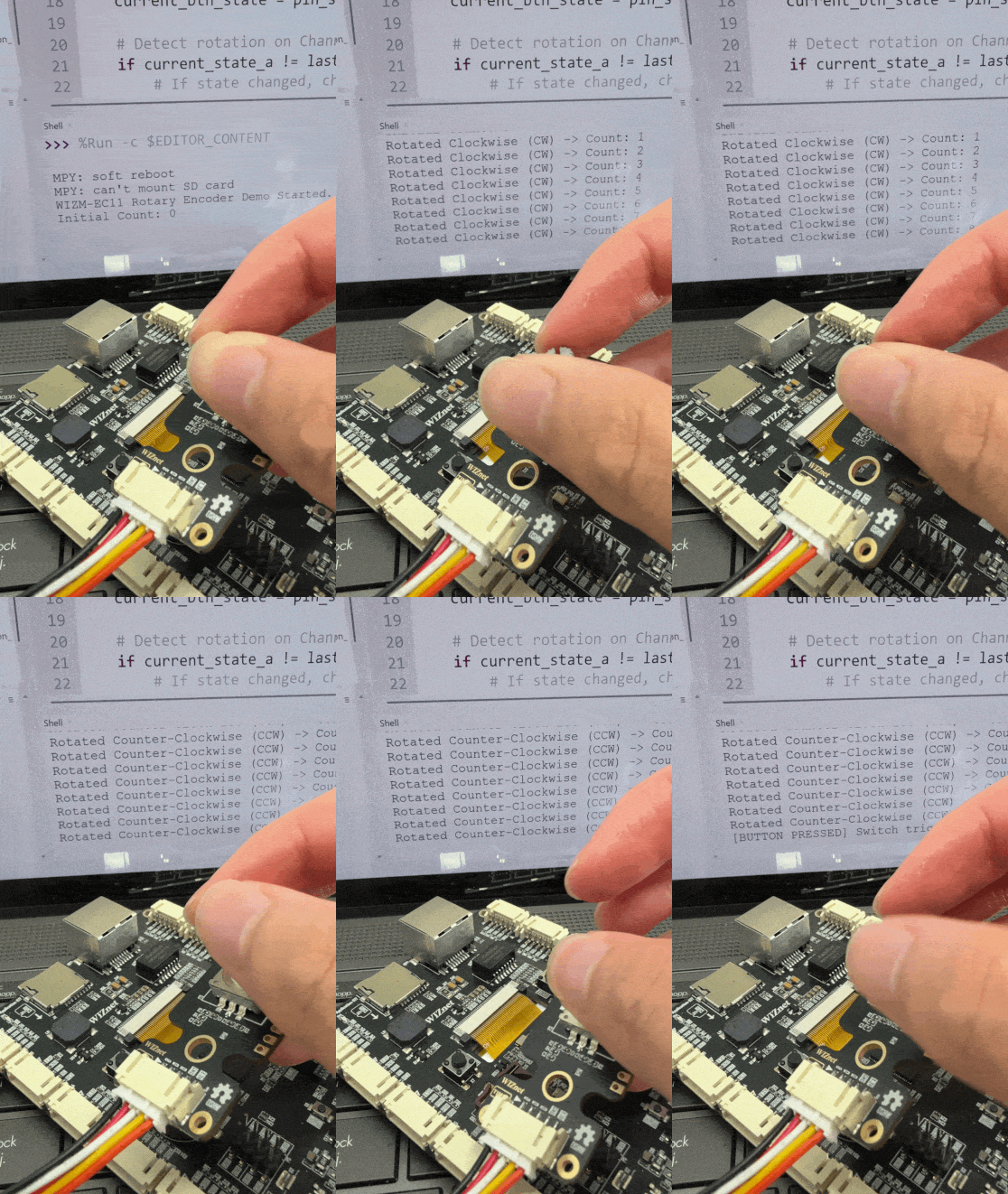
WIZM-EC11
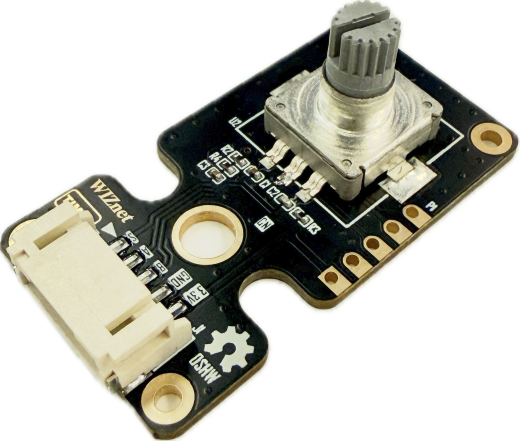
WIZM-EC11 is an incremental rotary encoder module featuring an integrated push-button switch. Designed for precise rotational input and user interface navigation, it outputs 2-phase quadrature signals (Channel A and Channel B) alongside an integrated momentary push-button switch (S) via standard 2.54mm headers and a keyed connector.
 Buy now
The WIZM-EC11 is an incremental rotary encoder module built around a standard EC11 rotary encoder with an integrated push-button switch. It provides tactile detent feedback and generates 2-phase quadrature signals (A and B) to detect both the speed and direction of rotation (clockwise or counter-clockwise), while the central switch (S) allows for selection or confirmation actions. Dual connection options—a standard 2.54mm pitch through-hole header (P1) and a horizontal keyed JST connector (J1)—make it convenient for prototyping, control panels, audio dials, menu navigation, and IoT interfaces.
Features
EC11 Incremental Rotary Encoder: Provides continuous 360° rotational input with tactile detents.
Integrated Push-Button Switch: Center-push tactile switch for press/confirm input.
Quadrature 2-Phase Output: Outputs channel A and channel B signals for direction and step detection.
Onboard Filtering/Pull-up Network: Includes onboard passive components (resistors/capacitors) to assist with signal conditioning and debouncing.
Dual Connection Options: Supports standard 2.54mm pitch pin headers (P1) and a keyed horizontal connector (J1).
Standardized Mounting: Equipped with corner mounting holes and cutout slots for easy panel and chassis installation.
Specifications
Parameter |
Value |
|---|---|
Model (P/N) |
WIZM-EC11 |
Function |
Rotary Encoder |
IC / Component |
EC11 |
Interface (I/F) |
GPIO / Timer |
Revision |
1.0 |
Operating Voltage (VCC) |
3.3V DC |
Connector Pitch |
Standard 2.54mm (P1) / Keyed Horizontal (J1) |
Pin Count |
5 Pins ( |
Pinout & Hardware Overview
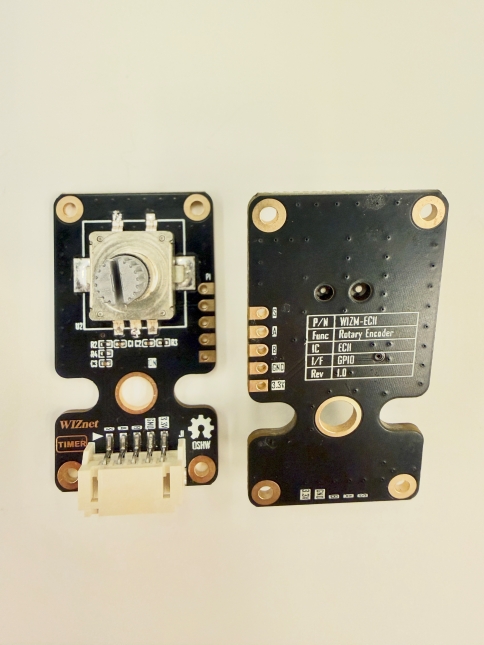
The module provides two parallel pin interfaces: a standard 5-pin 2.54mm pitch breakout (P1) and a 5-pin horizontal keyed connector (J1).
Pin |
Type |
Description |
|---|---|---|
S |
Input / Output |
Integrated push-button switch output (active-low when pressed) |
A |
Output |
Encoder Channel A (Phase A quadrature output) |
B |
Output |
Encoder Channel B (Phase B quadrature output) |
GND |
Power |
Ground supply reference |
3.3V |
Power |
3.3V DC Power Supply |
Top View & Bottom View
Platforms Supported
MicroPython |
|---|
|

Getting Started
Materials Required (excluding rotary encoder module)
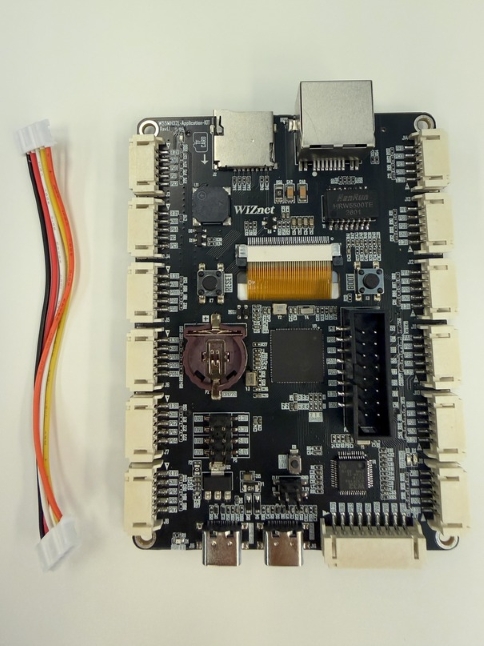
W55MH32L-Application-KIT
5-pin female-female JST PH-Style Cable
USB Type-C Cable
Hardware Connection
Connect the WIZM-EC11 to an ADC-enabled connector (e.g. J3) on the W55MH32L-Application-KIT using the 5-pin JST cable.
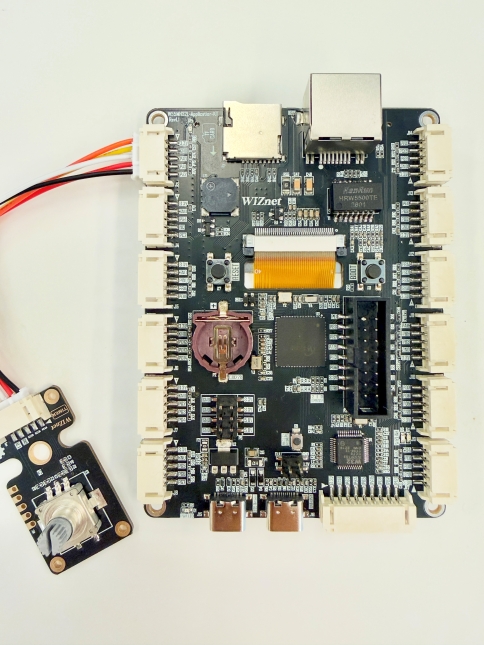
Then use a USB Type-C cable to connect the WIZ-LINK USB Type-C port on the application kit to your PC.
Sample Code Demo
Software
We will be using Thonny IDE to run the code.
Open Thonny IDE on your PC.
Select the correct COM port for your board.
Set the interpreter to MicroPython (generic).
Refer to the WIZnet documentation page for more detailed instructions in the “Basic Setup” section.
MicroPython
from machine import Pin
import time

# Update pin names to match your carrier board's connection (e.g., J3 header pins)
pin_s = Pin("PA0", Pin.IN, Pin.PULL_UP)  # Push-button Switch
pin_a = Pin("PA2", Pin.IN, Pin.PULL_UP)  # Channel A
pin_b = Pin("PA1", Pin.IN, Pin.PULL_UP)  # Channel B

encoder_count = 0
last_state_a = pin_a.value()
last_btn_state = pin_s.value()

print("WIZM-EC11 Rotary Encoder Demo Started.")
print(f"Initial Count: {encoder_count}")

while True:
    current_state_a = pin_a.value()
    current_btn_state = pin_s.value()

    # Detect rotation on Channel A transition
    if current_state_a != last_state_a:
        # If state changed, check Channel B to determine direction
        if pin_b.value() != current_state_a:
            encoder_count += 1
            print(f"Rotated Clockwise (CW) -> Count: {encoder_count}")
        else:
            encoder_count -= 1
            print(f"Rotated Counter-Clockwise (CCW) -> Count: {encoder_count}")

        last_state_a = current_state_a

    # Detect push-button press (active-low)
    if last_btn_state == 1 and current_btn_state == 0:
        print(f"[BUTTON PRESSED] Switch triggered! Resetting count to 0.")
        encoder_count = 0
        time.sleep_ms(200)  # Simple debounce delay

    last_btn_state = current_btn_state
    time.sleep_ms(2)